Up to 10 connections/apps
PortalConfigure up to ten tiles to launch VDI connections, web environments, or local applications.
- Programmable tiles
- Per-tile behavior
- Optional autolaunch
VDI Access Suite effectively turns a Windows 11 PC into a Windows Thin Client. By replacing Windows Explorer with a controlled, branded portal, users are presented with a task-focused environment that provides access to approved applications, VDI connections, or secure web sessions - and nothing else.
Transform a standard Windows 11 system into a managed Windows Thin Client by replacing Explorer with a secure, customizable portal that launches approved applications, virtual desktops, and secure web environments.
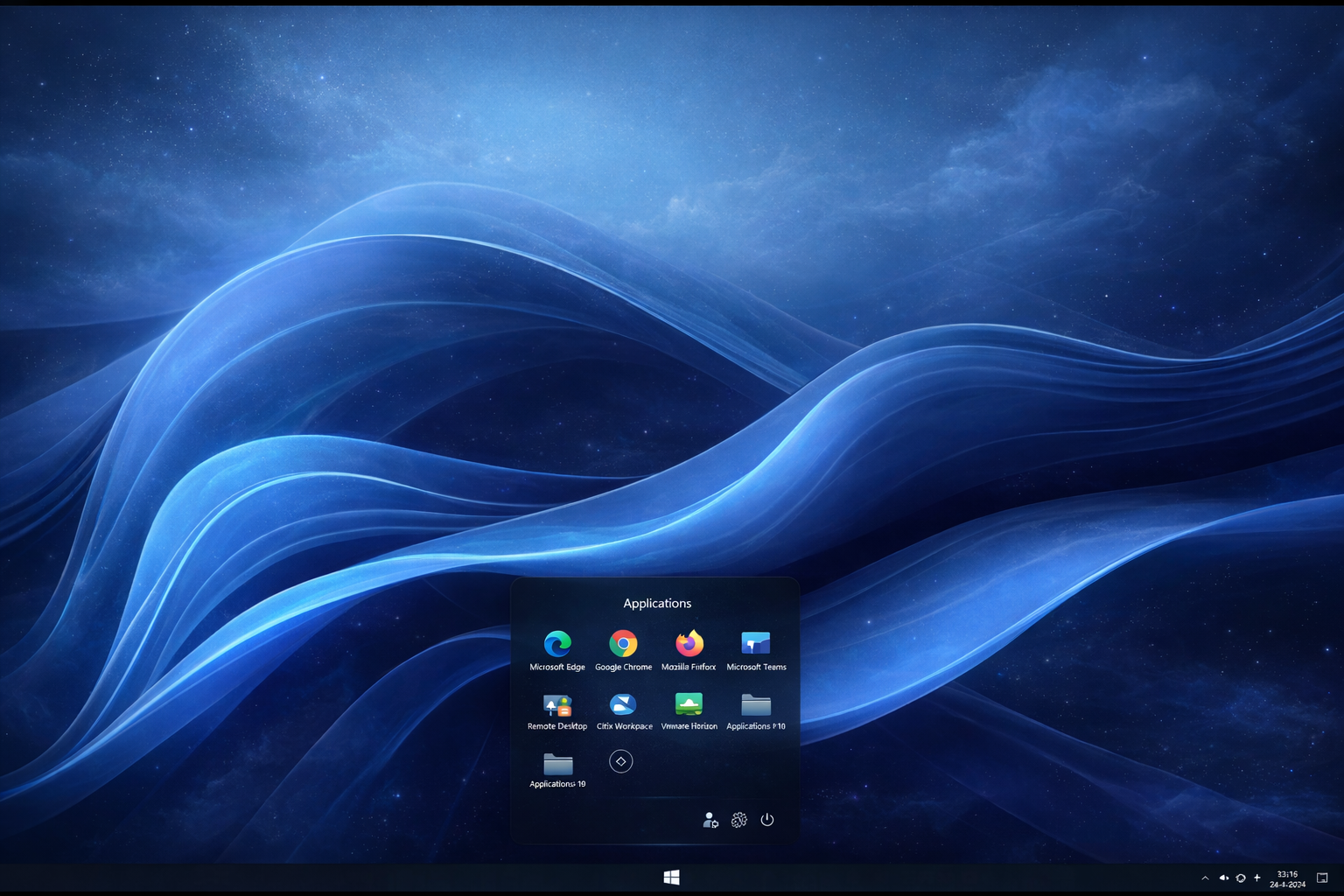
Traditional thin clients are simple and secure — but often require dedicated hardware and a separate lifecycle. VDI Access Suite delivers the same core outcome on standard Windows 11 devices by replacing Explorer with a controlled portal.
Users get fast access to approved tools, while IT prevents access to the Windows desktop and unapproved settings. Configure up to ten tiles for VDI, web apps, or local applications, each with optional autolaunch.
VDI Access Suite is currently in development. Contact us for early access, roadmap alignment, or a design session for your deployment scenario.
A controlled workspace portal that supports both web and app environments — while preserving your Windows 11 stack.
Configure up to ten tiles to launch VDI connections, web environments, or local applications.
Built-in support for Secure Web Solo provides highly secure web execution without user escape routes.
Local admin access can expose extra configuration options for administrators — while keeping users locked down.
Configure session settings over HTTPS or integrate with mainstream management platforms. Preserve your current OS and management tooling.
In addition to web-based environments, Remote Desktop and VNC can be supported for specific use cases.
Any environment that needs a controlled “portal desktop” with fast access to approved tools.
VDI Access Suite is coming soon. Contact us for early access, roadmap alignment, or enterprise deployment design.